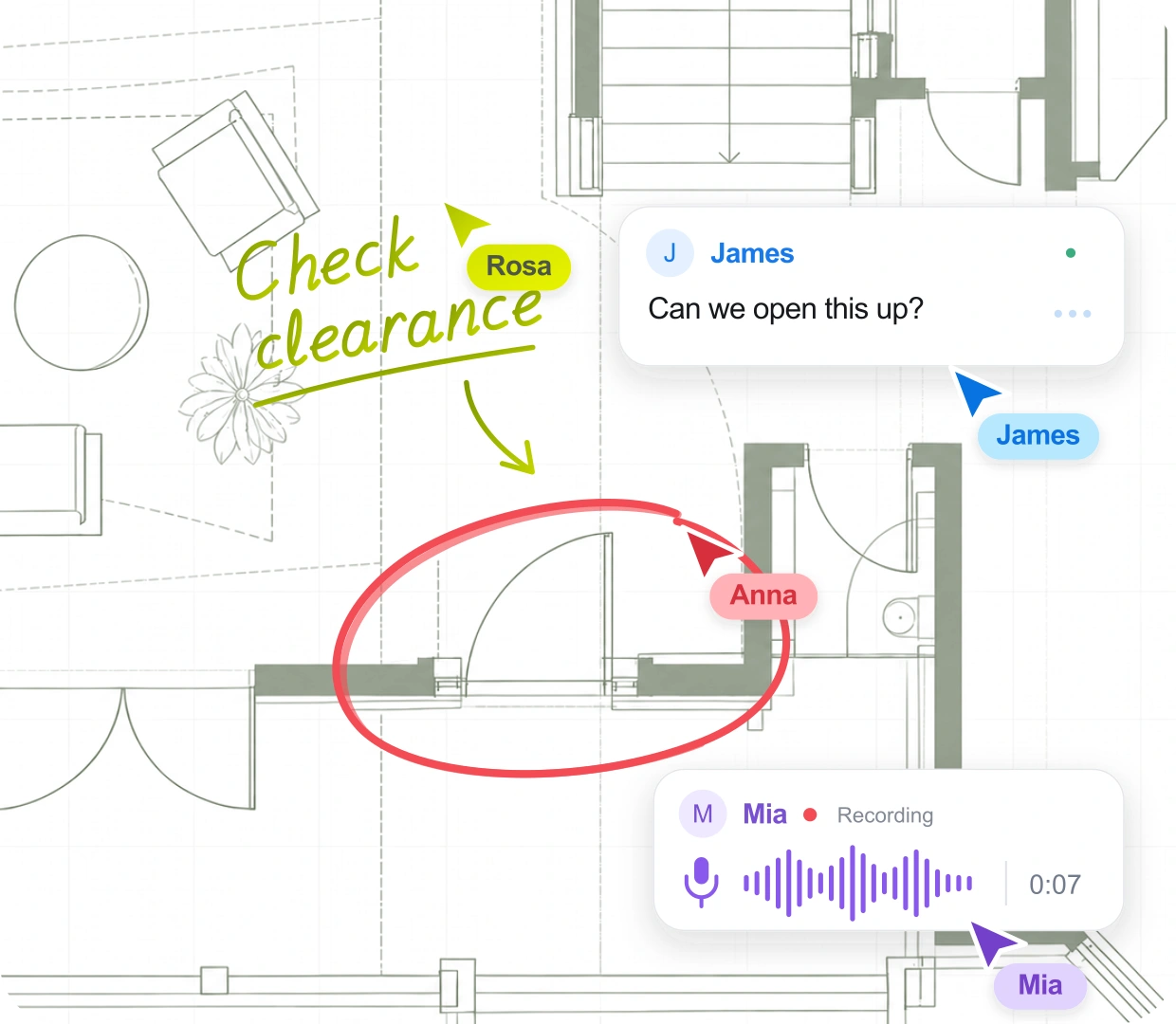
The red pen went multiplayer.
With the new design review and collaboration tool for AEC. Review and mark up architectural designs, punch lists and technical drawings with everyone you work with. Nobody needs training or a license to join in.
Free for a year after launch, if you sign up during Early Access
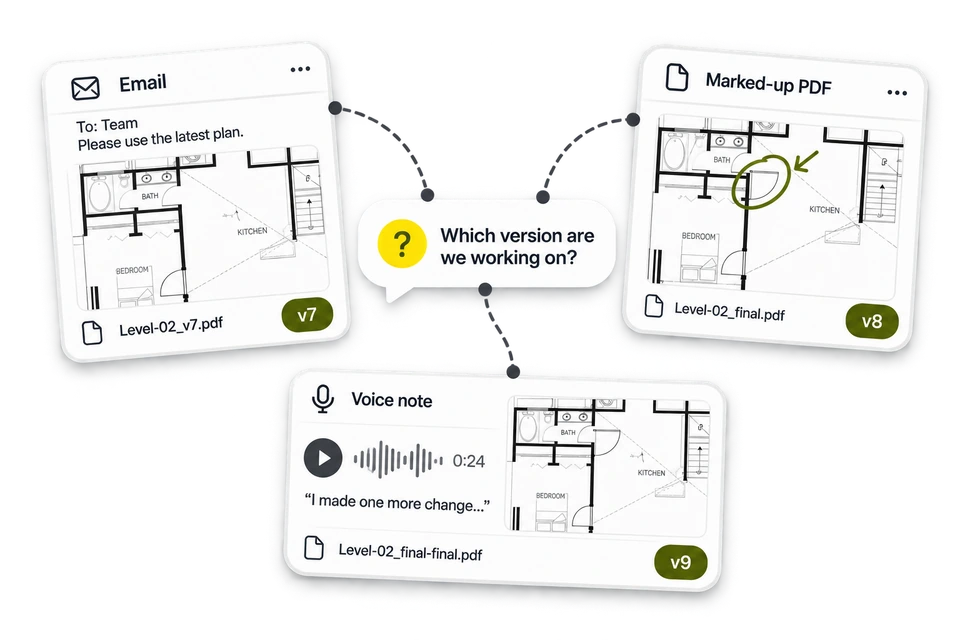
No more chasing feedback across emails, scans and group chats.
Stacks of paper. A scan from the client. Comments buried in an email. A photo in a WhatsApp thread. An endless version history. And now someone has to sit down and make sense of it all.
Usually that someone is you.
Everyone gets a pen.
Everything paper does, plus the bits it can't.
Paper doesn't need explaining, and that's why drawings still get printed, marked, and scanned back. Ondera enhances your workflows invisibly, while staying as easy to use as pen and paper.
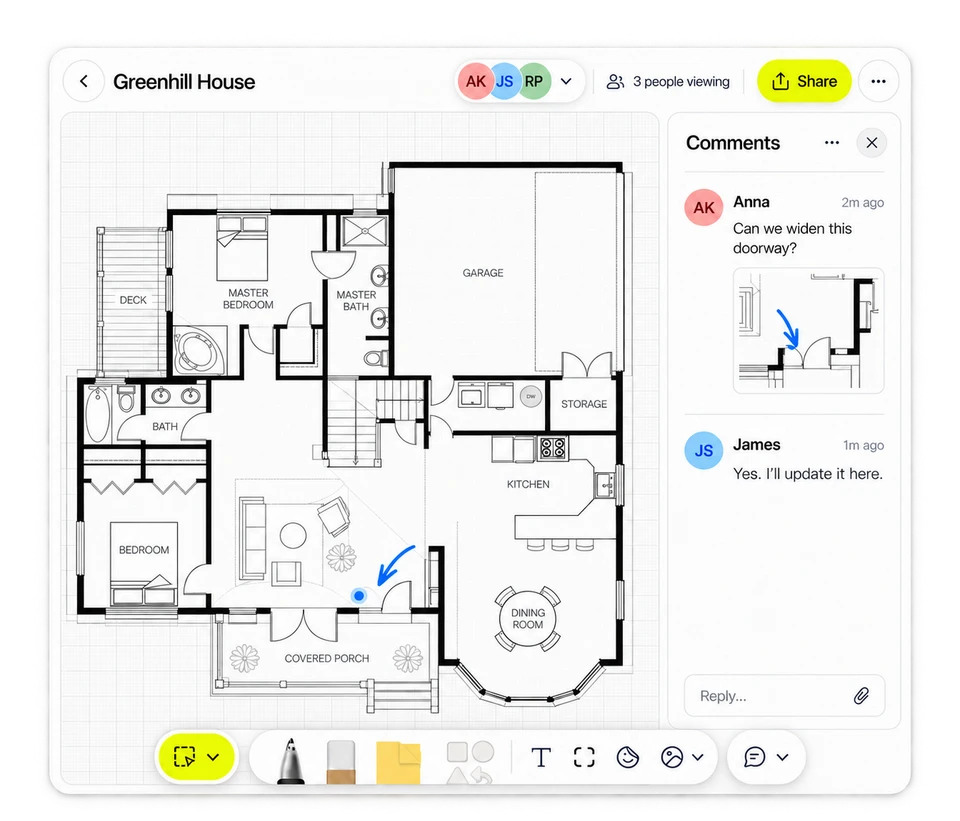
Only one version. The right one.
Upload a PDF and you're ready to go. Your team, your contractors and your clients all work on one live document. Nothing to reconcile, and no one reviewing last week's version.
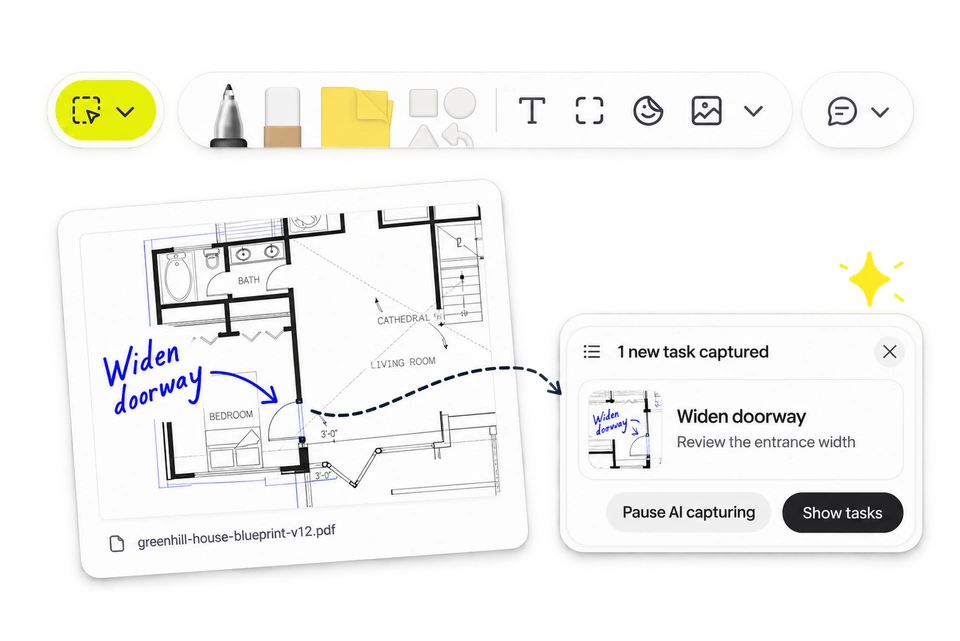
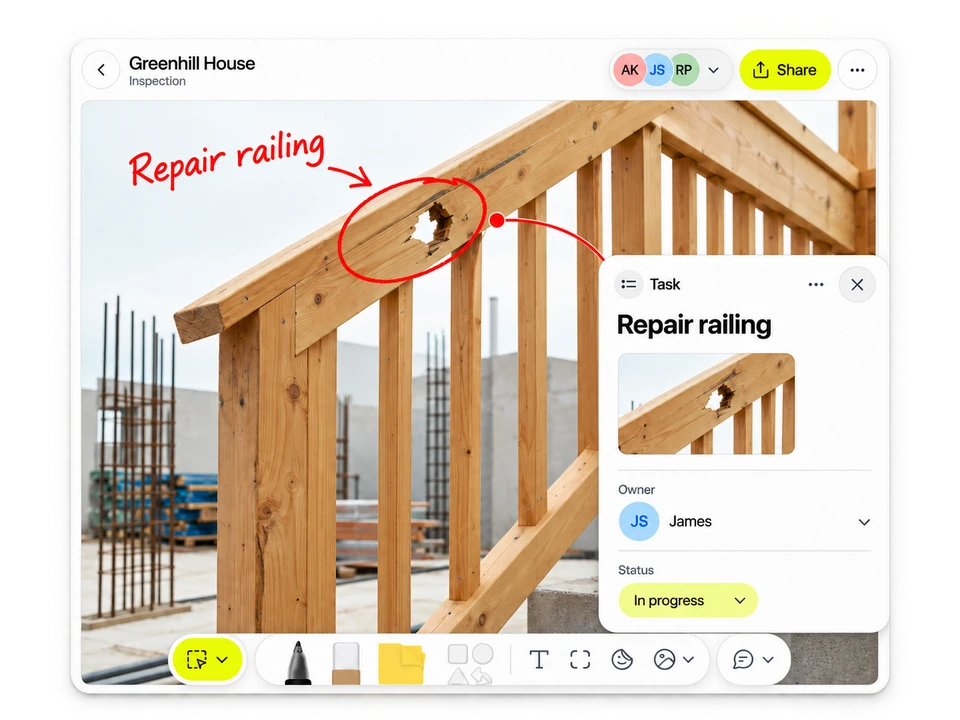
Circle it. Assign it. Go home on time.
You walk the site, snap photos, and watch as Ondera AI automatically turns them into a task list.
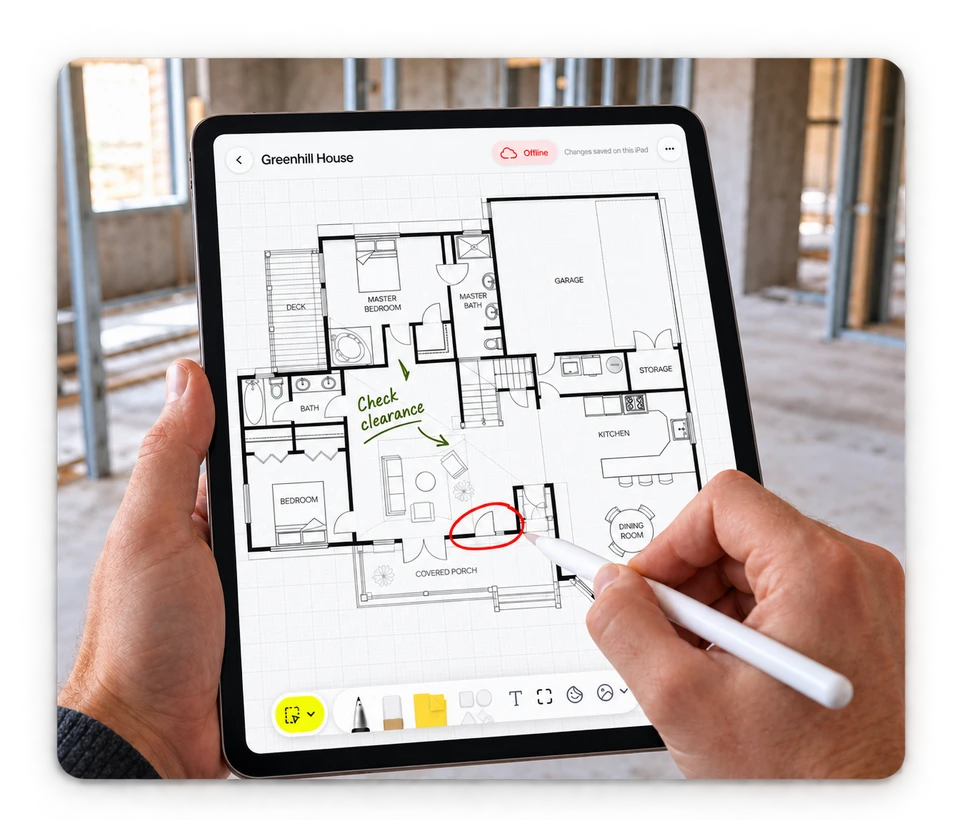
On site, at the desk, or in the basement
Mark up your PDF on site, even with zero signal. It syncs the moment you're back in range.
Early Access,
early perks.
Sign up during Early Access, and a year for free after launch.
Use it. Break it. Bring your team in. Tell us the truth about what works and what doesn't. Help us build a tool that works for you.
- Direct access to the people building it
- A real say in what we build next
- First word on new features
- A year of the paid version, free, starting on launch day
- First access to new features and special promotions
After your free year, you can keep using Ondera with a subscription.
FAQ
Who is Ondera for?
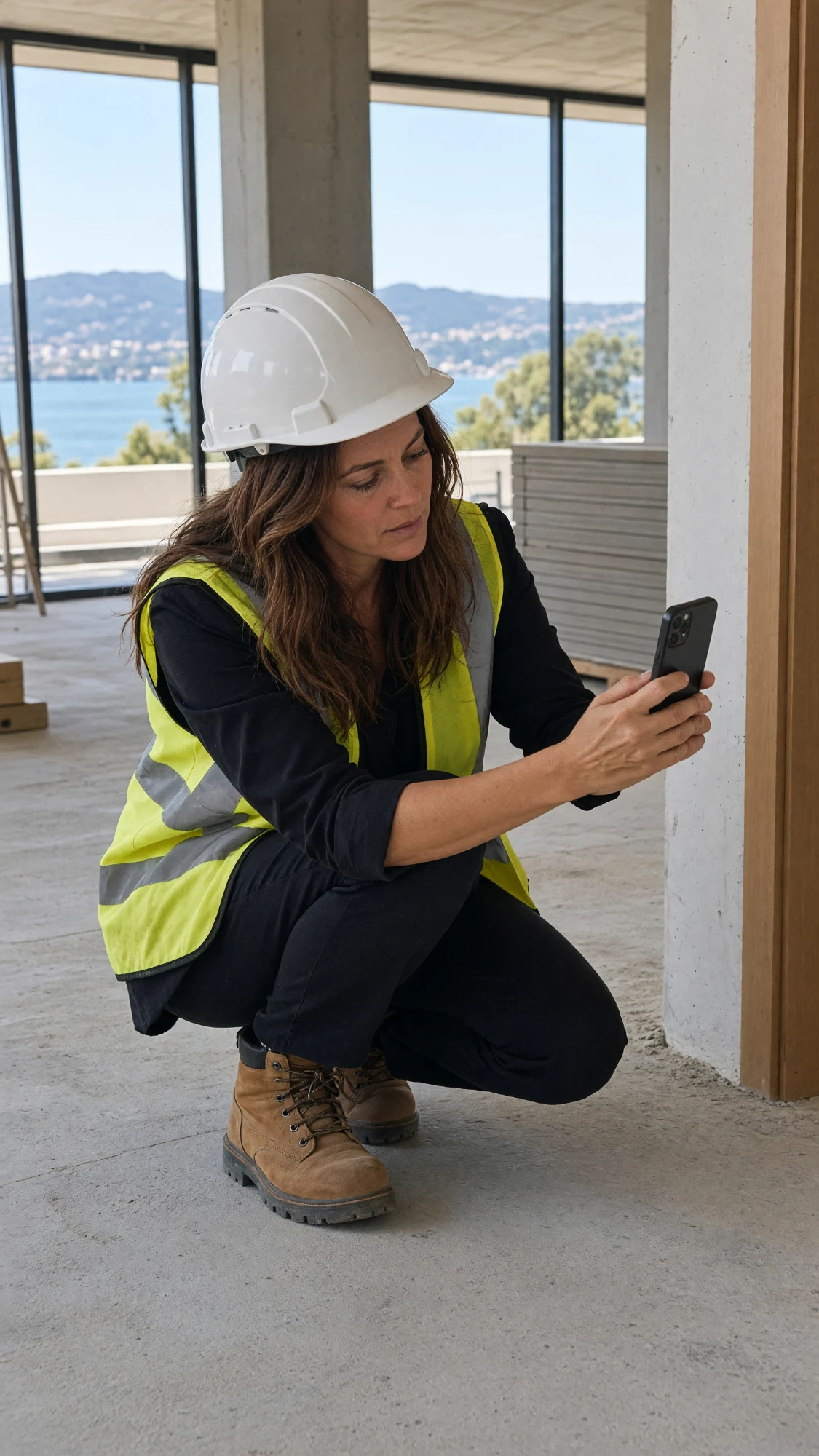
Architects, structural engineers, contractors and project managers: anyone who runs design reviews, marks up PDF drawings, or walks sites and turns what they find into punch lists.
What does "Early Access" mean?
It means you're getting in early. Some screens are still rough, and you'll probably hit something that doesn't work the way you expect. When that happens, tap the feedback button in the app and tell us. It goes straight to the designers and engineers building Ondera, and it's how we decide what to fix and build next.
Is Ondera fully built and ready?
Not yet! It's early days for our product, and we'll keep adding new features and workflows. Tell us what you need, and help us decide what to build next.
How do I give feedback or get help during Early Access?
Once you've signed in, look for the Feedback button in the app. It lists every way to get in touch with us.
Who can I share a document with?
Anyone whose feedback you need: your team, a consultant at another firm, a contractor, your client. Share a link to your project, and they sign in the same way you do. Then they can review and leave comments. It's free for them, now and after Early Access.
Does Ondera replace my CAD or BIM software?
No. Ondera is where the conversation about a drawing or project happens: the review, the markup, the punch list. The agreed changes still go back into your CAD or BIM software, or wherever your designs and as-builts are recorded.
I already use Goodnotes for drawings. Why would I use this?
Goodnotes isn't going anywhere. It's still where all your own notes live. Ondera is for design reviews, site walks and punch lists, structural drawings, and other AEC work to come.
What devices can I use Ondera on?
Any device, on the web. And there's an app for iPad.
What does it cost?
Nothing during Early Access. And everyone who joins Early Access also gets a year of the paid version free, starting on launch day. After that, you can keep going with a subscription. We haven't set pricing yet, but you'll hear about it from us first.